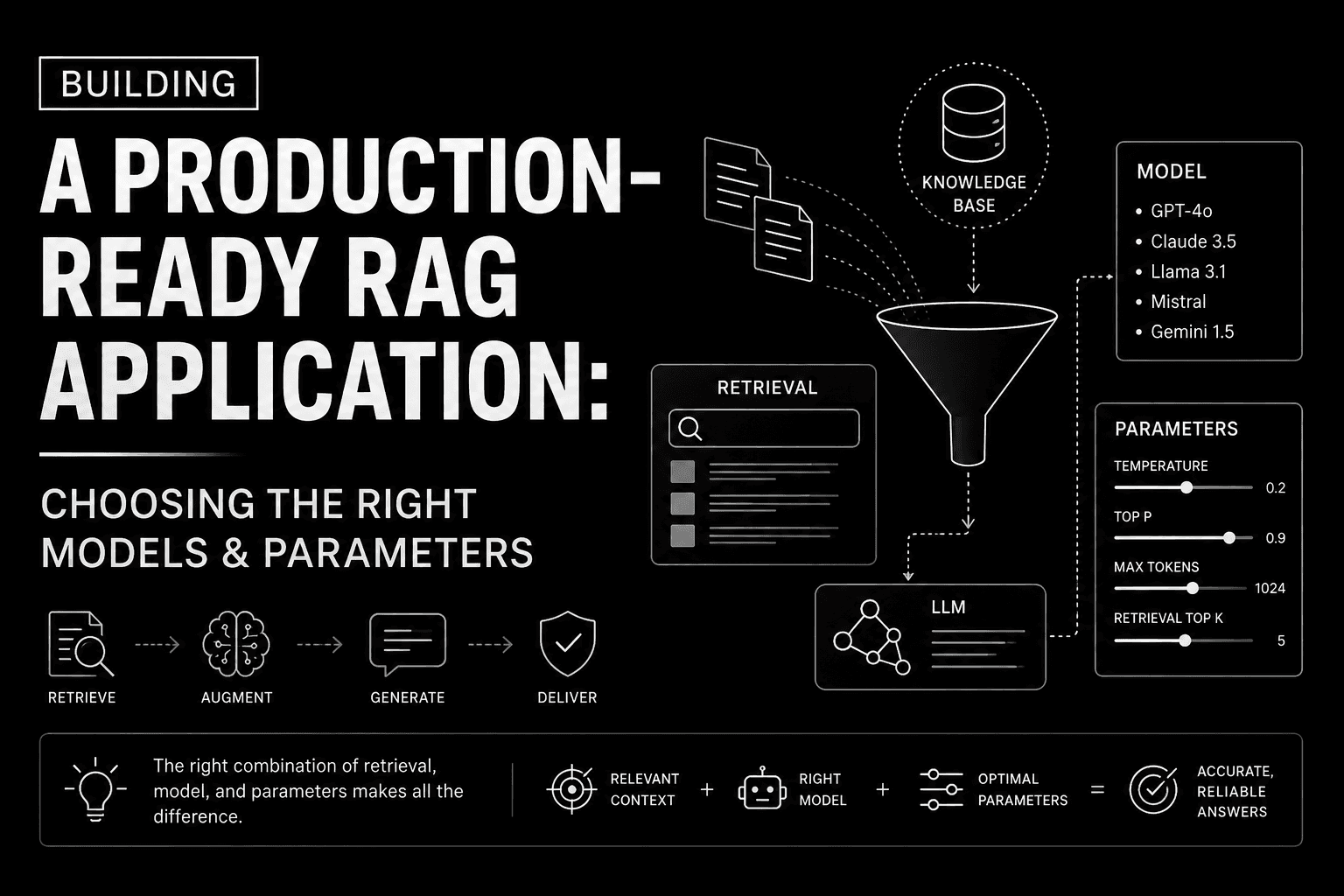
Building a Production-Ready RAG Application: Choosing the Right Models & Parameters
Learn how to build a simple yet effective Retrieval-Augmented Generation (RAG) application by selecting the right embedding model, vector database, retriever settings, and LLM parameters. This guide focuses on practical defaults and the reasoning behind them, helping you avoid common pitfalls from the start.
#rag#langchain#vector database
What Is Retrieval-Augmented Generation (RAG)?
Retrieval-Augmented Generation (RAG) is one of the simplest—and most powerful—ways to make Large Language Models (LLMs) answer questions using your own data.
The architecture is straightforward. The real challenge is picking the right models and parameters. Too many tutorials either overcomplicate the pipeline or use defaults without explaining why.
I'm going to walk through building a simple RAG application, explaining every decision along the way.
How RAG Works
Instead of asking an LLM to answer purely from its training data, RAG gives the model relevant documents before it generates a response.
The LLM never searches your documents directly. It only receives the most relevant chunks from the retriever.
Step 1: Load Your Documents
Start with a small collection of PDFs, Markdown files, or plain text documents. Some good sources:
Product documentation
Company policies
Research papers
Personal notes
Technical blogs
The document loader's only job: extract text. Don't overthink this part.
Step 2: Split the Documents
LLMs and embedding models work better with smaller chunks than entire documents.
A solid starting point:
chunk_size = 1000
chunk_overlap = 200
Why these numbers?
1000 characters usually provide enough context.
200-character overlap prevents information from being split across chunk boundaries.
For codebases, I prefer even smaller chunks (300–600 characters). For long-form docs, 800–1200 characters works well. Adjust based on your data, but don't go too big.
Step 3: Choose an Embedding Model
Embeddings turn text into vectors that capture semantic meaning.
My default:
text-embedding-3-small
Why?
Excellent quality
Fast
Cost-effective
Suitable for most production RAG use cases
Unless you're working in a highly specialized domain or need massive multilingual support, this model is usually enough.
Step 4: Store Embeddings in a Vector Database
After generating embeddings, store them in a vector database. Popular options:
Qdrant
Pinecone
Weaviate
Milvus
Chroma (great for local development)
For self-hosted deployments, Qdrant is my go-to: fast, open source, and easy to operate.
Step 5: Configure the Retriever
This is where many RAG apps go wrong: retrieving too many documents.
A good starting config:
search_kwargs = {
    "k": 4
}
Why k=4?
2 chunks: often not enough context
20 chunks: too many tokens, too much noise
Four relevant chunks usually strike the right balance for question answering. If you need to, experiment with values between 3 and 8 based on your data.
Step 6: Pick the Right Chat Model
The retriever finds information. The LLM explains it.
Pick an instruction-following model with a context window big enough for your workload. The exact model will change over time, but the principle doesn't: balance quality, latency, and cost for your use case.
Step 7: Set the Right Temperature
For factual RAG systems:
temperature = 0
Why? RAG is about retrieving facts, not creative writing. Higher temperatures increase randomness and can lead to inconsistent answers.
Use higher values only for creative tasks (storytelling, brainstorming, etc).
Step 8: Build the Prompt
Your prompt should clearly instruct the model to rely on the retrieved context.
Example:
You are an AI assistant.

Answer only using the provided context.

If the answer is not present, say:
"I couldn't find this information in the provided documents."

Context:
{context}

Question:
{question}
This simple instruction dramatically reduces hallucinations.
Common Mistakes
Retrieving Too Many Documents
More context doesn't always mean better answers. Too many chunks dilute relevance and increase token usage.
Huge Chunk Sizes
Chunks that are too large often contain unrelated information. Keep chunks focused on a single concept whenever possible.
High Temperature
A RAG assistant should prioritize consistency over creativity. Start with temperature = 0.
Weak Prompts
Without clear instructions, the model may ignore the retrieved context and answer from its own training data. Always tell the model how it should use the retrieved documents.
Recommended Starter Configuration
Component
Recommendation
Chunk Size
1000
Chunk Overlap
200
Embedding Model
text-embedding-3-small
Vector Database
Qdrant
Retriever
k = 4
Temperature
0
Prompt
Use retrieved context only
These aren't universal, but they're an excellent baseline for most document-based RAG systems.
Final Thoughts
A good RAG application isn't about stacking the newest models. It's about sensible engineering decisions.
Focus on clean documents, meaningful chunking, high-quality embeddings, a well-configured retriever, and a prompt that keeps the model grounded in the retrieved context.
Start simple. Measure retrieval quality. Adjust one parameter at a time.
Most production-ready RAG systems are surprisingly straightforward—the difference is in choosing the right defaults and understanding why they work.
Join the discussion
Nothing here yet — be the first to weigh in.