Step-by-Step Notes: Setting Up GKE with Artifact Registry and WIF
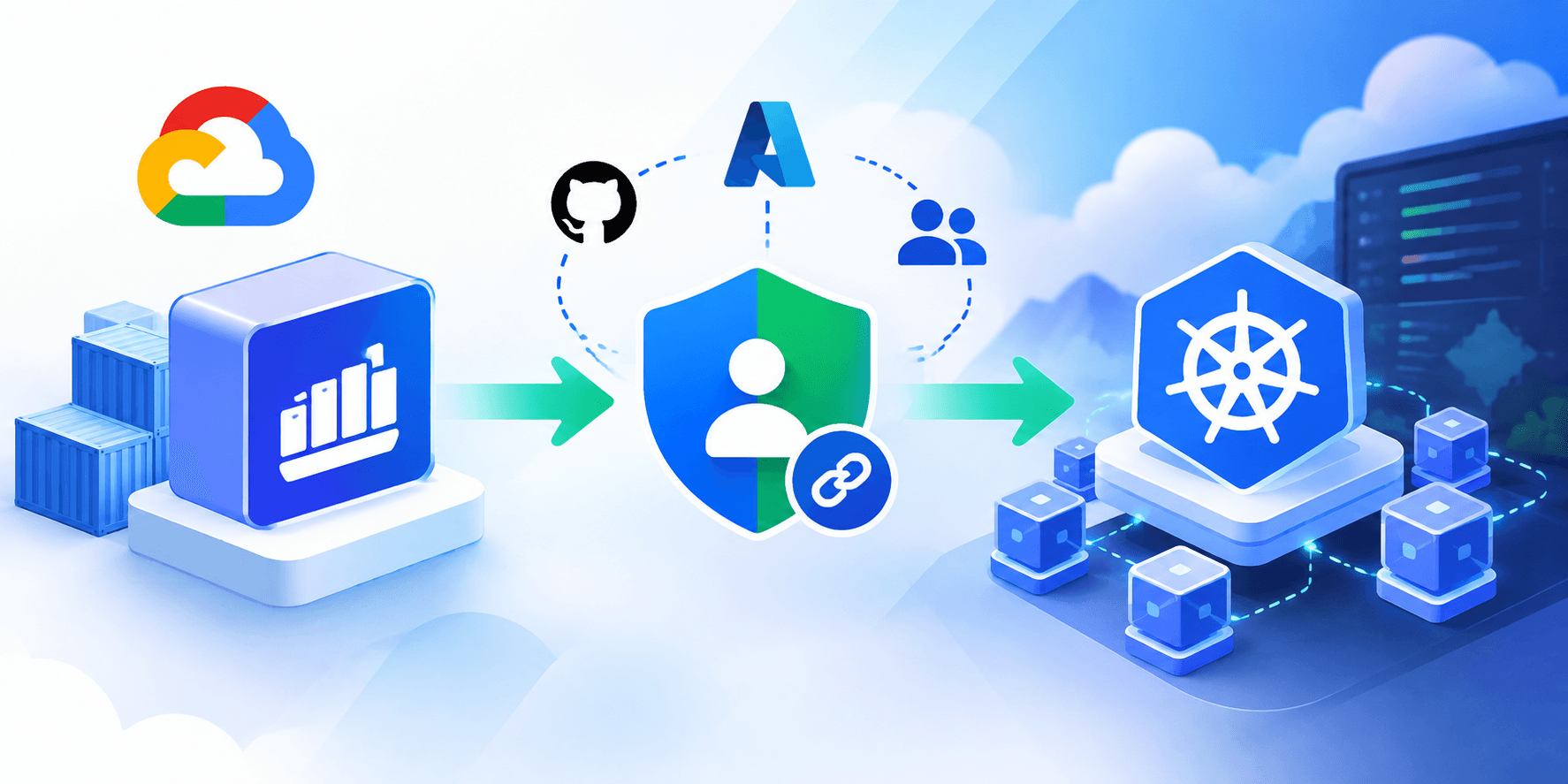
A practical walkthrough for deploying a FastAPI app to Google Kubernetes Engine (GKE) using images stored in Artifact Registry, with secure Azure-to-GCP authentication via Workload Identity Federation (WIF). Includes detailed setup commands, IAM configuration, and tips for avoiding common pitfalls.
First, I needed a place to push my Docker images so GKE could pull them. Artifact Registry is GCP’s managed solution for this.
# Enable Artifact Registry API for the project
gcloud services enable artifactregistry.googleapis.com
# Create a Docker repository in my region
gcloud artifacts repositories create fastapi-demo-repo \
--repository-format=docker \
--location=asia-south1 \
--description="FastAPI demo images"# Configure Docker to authenticate with Artifact Registry
gcloud auth configure-docker asia-south1-docker.pkg.dev
# Tag the local image for the remote registry
docker tag fastapi-demo:v1 asia-south1-docker.pkg.dev/YOUR_PROJECT_ID/fastapi-demo-repo/fastapi-demo:v1
# Push the image to Artifact Registry
docker push asia-south1-docker.pkg.dev/YOUR_PROJECT_ID/fastapi-demo-repo/fastapi-demo:v1
Gotcha: Don’t forget to replace YOUR_PROJECT_ID with your actual GCP project ID. If you skip gcloud auth configure-docker, the push will fail with a permissions error.
Workload Identity Federation (WIF): Azure to GCP, No Keys
WIF lets me grant Azure (or any OIDC-compliant provider) access to GCP resources without long-lived service account keys. This is way safer than copying JSON keys around.
What I Set Up
Workload Identity Pool: Logical boundary for identities from Azure.
OIDC Provider: Connects the pool to Azure AD.
Service Account: GCP identity for deployments.
IAM Bindings: Allows Azure identities to impersonate the service account and push images.
Credential Config: JSON config Azure can use to authenticate to GCP.
# Create a WIF pool for Azure identities
gcloud iam workload-identity-pools create azure-pool \
--location="global" \
--display-name="Azure WIF Pool"# Register Azure as an OIDC provider for the pool
gcloud iam workload-identity-pools providers create-oidc azure-provider \
--location="global" \
--workload-identity-pool="azure-pool" \
--issuer-uri="https://sts.windows.net/YOUR_AZURE_TENANT_ID/" \
--attribute-mapping="google.subject=assertion.sub"# Create a service account for deployments
gcloud iam service-accounts create fastapi-deployer \
--display-name="FastAPI Deployer SA"# Allow Azure app to impersonate the service account via WIF
gcloud iam service-accounts add-iam-policy-binding fastapi-deployer@YOUR_PROJECT_ID.iam.gserviceaccount.com \
--role="roles/iam.workloadIdentityUser" \
--member="principalSet://iam.googleapis.com/projects/YOUR_PROJECT_NUMBER/locations/global/workloadIdentityPools/azure-pool/attribute.subject/YOUR_AZURE_APP_OBJECT_ID"# Grant the service account permission to push to Artifact Registry
gcloud projects add-iam-policy-binding YOUR_PROJECT_ID \
--member="serviceAccount:fastapi-deployer@YOUR_PROJECT_ID.iam.gserviceaccount.com" \
--role="roles/artifactregistry.writer"# Generate a credential config file for Azure to use with Google client libraries
gcloud iam workload-identity-pools create-cred-config projects/YOUR_PROJECT_NUMBER/locations/global/workloadIdentityPools/azure-pool/providers/azure-provider \
--service-account=fastapi-deployer@YOUR_PROJECT_ID.iam.gserviceaccount.com \
--output-file=clientLibraryConfig.json \
--azure
Note: Replace YOUR_PROJECT_ID, YOUR_PROJECT_NUMBER, YOUR_AZURE_TENANT_ID, and YOUR_AZURE_APP_OBJECT_ID with your actual values. The clientLibraryConfig.json is what Azure pipelines or GitHub Actions will use to authenticate to GCP.
Quick WIF and Multi-Cloud Context
WIF (Workload Identity Federation): Lets external identities (like Azure AD or GitHub) impersonate GCP service accounts, so you never have to store or distribute static service account keys.
Azure ↔️ GCP: With WIF, my Azure DevOps pipelines can push images to GCP Artifact Registry or deploy to GKE, all without ever exporting a key file.
Security Win: If you’re still copying JSON keys into CI/CD, switch to WIF ASAP.
GKE: Creating and Connecting to the Cluster
Now for the actual Kubernetes cluster.
# Create a GKE cluster with 1 small node in my region
gcloud container clusters create fastapi-demo-cluster \
  --zone=asia-south1-a \
  --num-nodes=1 \
  --machine-type=e2-small

# Update local kubeconfig to talk to the new cluster
gcloud container clusters get-credentials fastapi-demo-cluster --zone=asia-south1-a
At this point, kubectl commands work against the new cluster. I can deploy my FastAPI app using the image I just pushed.
Final Thoughts
This flow gets my images from local Docker to Artifact Registry, sets up secure Azure-to-GCP authentication via WIF, and spins up a GKE cluster ready for deployment. The trickiest part was getting the IAM bindings right for WIF—double-check the subject and object IDs, or authentication will silently fail.
Let me know if you hit any snags or want more detail on the Azure side of the setup.
Join the discussion
Nothing here yet — be the first to weigh in.