Why Architecture Choice Matters in DevOps
Picking the right architecture isn’t just a technical checkbox — it shapes how fast you can ship, how easily you can scale, and how much time you’ll spend wrangling infrastructure. I’ve worked with both ends of the spectrum: the ultra-simple single binary approach and the heavyweight but flexible cluster model. Here’s what I’ve learned about each, and how I think about choosing between them.
Single Binary Architecture: All-in-One Simplicity
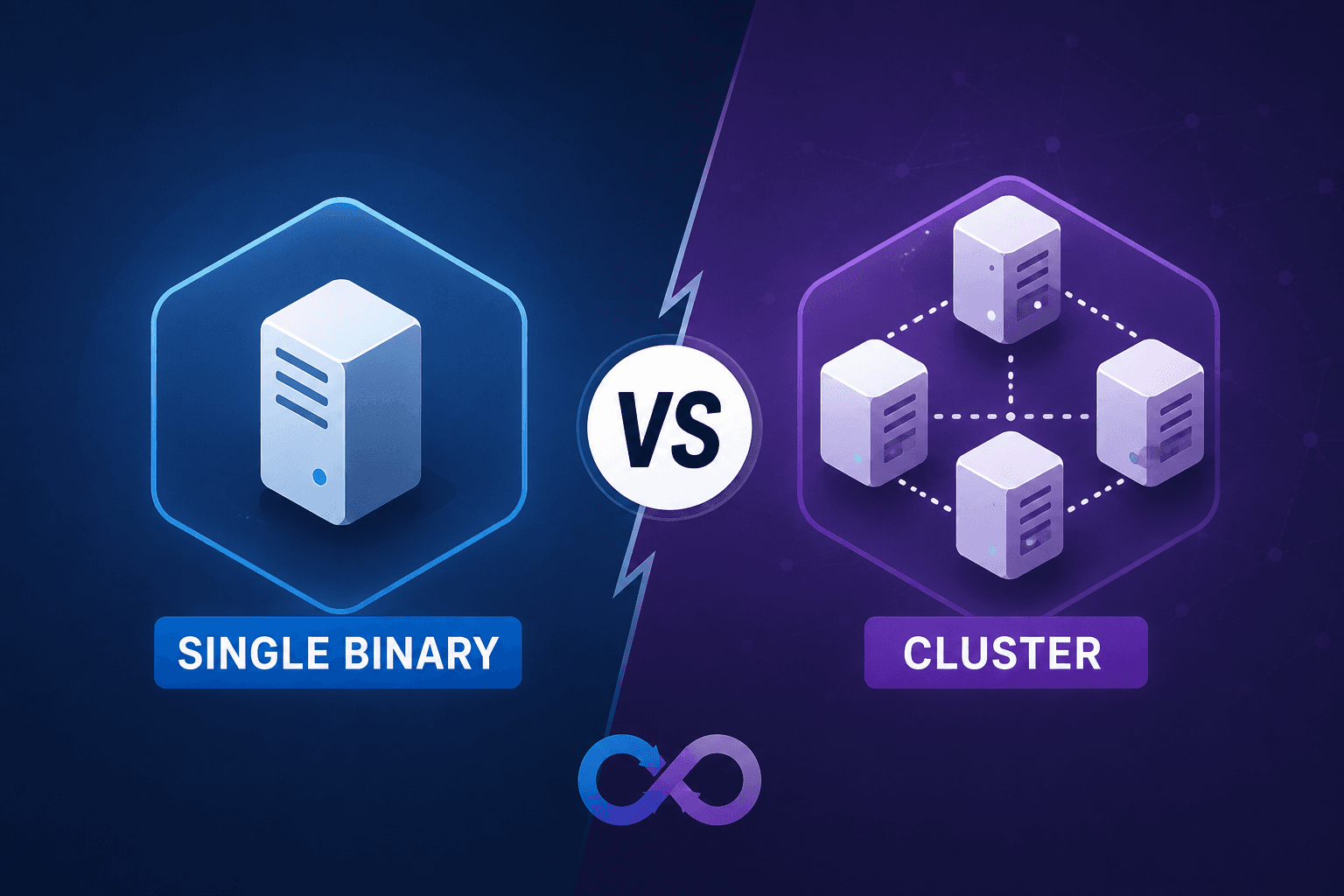
Single binary architecture is about keeping things as simple as possible. Think of an app that bundles everything — logic, storage, APIs — into one executable file. No extra services to deploy. No external database to manage. Just a single file you download and run.
A good example is Restate, a Rust-based system that embeds RocksDB for persistence. There’s no need to spin up Postgres or MongoDB. You just launch the binary, and you’re ready for durable execution out of the box.
This approach minimizes operational headaches. You don’t have to juggle multiple config files or coordinate networked services. Everything lives in that one process.
Cluster Architecture: Divide and Scale
Cluster architecture goes the other direction. Instead of one monolithic binary, you break your system into several independently scalable services. Consider specifying the additional services or rephrasing to clarify that there are more than the ones listed. Each has a distinct job — handling API requests, orchestrating workflows, or managing task queues.
All these services rely on an external database (usually PostgreSQL or MySQL) for persistence, and sometimes a search engine like Elasticsearch for advanced queries.
This setup really shines when you need to handle lots of traffic or require high availability. Each service can scale independently, so you can throw more resources at bottlenecks without over-provisioning everything else. But the tradeoff is complexity: deploying and maintaining a cluster isn’t trivial. You need to understand how the pieces fit together, keep the database healthy, and manage the network between services.
Why I Like Single Binary: Deployment and Resource Wins
The biggest win with single binary architecture is simplicity. Deployment is dead simple. Consider softening to 'minimal orchestration or configuration' if that's more accurate.
Resource efficiency is another perk. Consider rephrasing to 'you can often run these apps on modest hardware' to reflect variability. That’s a huge deal for side projects, small teams, or anyone with a tight infrastructure budget. Less moving parts means less to break — and less to monitor.
But there’s a ceiling. If you need more CPU or storage, you have to scale the whole thing together. Consider rephrasing to 'typically, there’s no way...' or 'in most cases'. The all-in-one design is both its strength and its limitation.
Why Cluster Architecture Wins: Scalability and Resilience
Cluster architecture is built for growth and uptime. By splitting the system into specialized services, you can scale each part as needed. If your workflow orchestration is the bottleneck, just add more History or Matching nodes. You don’t have to over-provision the entire stack.
Fault tolerance is another big plus. Consider qualifying with 'in many cases' or 'depending on the architecture'. You get a buffer against total outages, which is critical for systems that can’t afford downtime.
The flip side: operational complexity. Running a cluster means you need solid DevOps chops. The initial setup is more involved, and keeping everything healthy (databases, search clusters, inter-service comms) takes ongoing work. For small teams, this can be a real burden.
The Gotchas: Where Each Architecture Struggles
Single binary apps are great — until they aren’t. As your user base grows, the lack of modularity can bite you. Scaling up means scaling everything, and upgrades can get tricky since storage and processing are tightly coupled. Downtime becomes harder to avoid.
Cluster architectures, meanwhile, demand a lot up front. You need reliable infrastructure, external databases, and sometimes search engines. Misconfigurations can cause subtle (or catastrophic) failures. Consider rephrasing to 'The learning curve can be steep, and the operational overhead is ongoing.'
My Checklist for Choosing Architecture
Here’s how I break it down when picking an architecture:
| Consideration | Single Binary Architecture | Cluster Architecture |
|---|
| Deployment Speed | Fast and straightforward | Slower, complex setup |
| Scalability | Limited (all-or-nothing) | High, scale components |
| Fault Tolerance | Low (single point of failure) | High, distributed resilience |
| Resource Efficiency | High, minimal resources needed | Variable, depends on scaling |
| Operational Complexity | Low, easy to manage | High, skilled DevOps required |
If you want to move fast, keep things simple, and have limited resources, single binary is hard to beat. Perfect for MVPs, internal tools, or when you just don’t want to babysit infrastructure.
If you’re building for scale, need high uptime, or expect your system to grow in unpredictable ways, cluster architecture is worth the investment — as long as you’re ready for the extra work.
Final Thoughts
There’s no universal best choice. The right architecture depends on your team’s skills, your uptime needs, and your appetite for operational complexity. I’ve learned to let project constraints guide the decision, not just technical ideals. Both approaches have their place — the trick is knowing which tradeoffs you’re willing (and able) to make.
Join the discussion
Nothing here yet — be the first to weigh in.